



Luckysheriff Mobile Platform
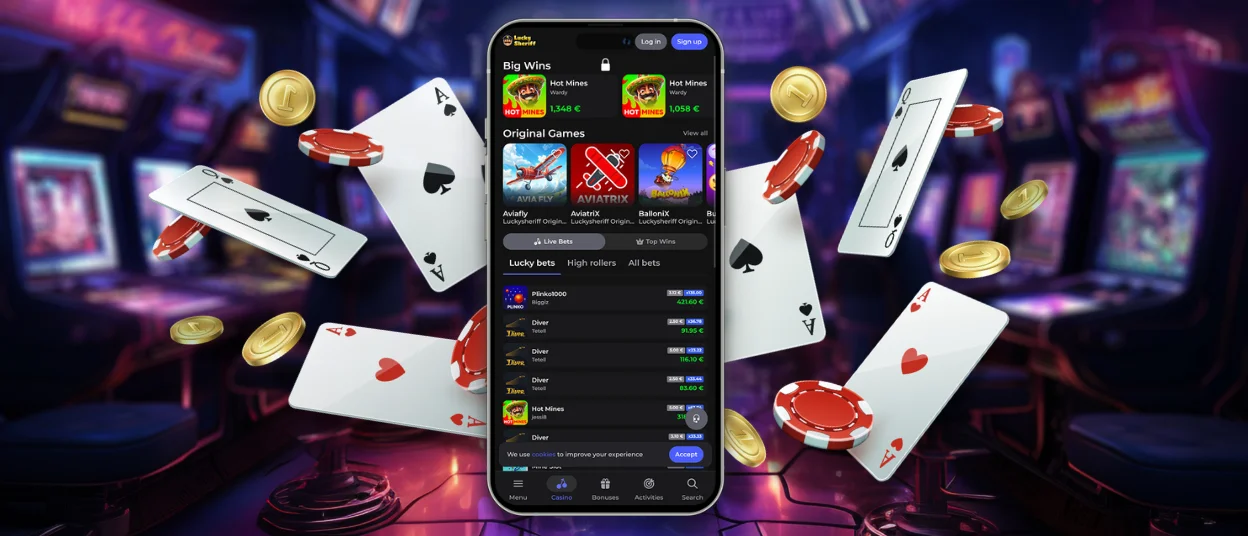
It is very easy to use the Luckysheriff app. Firstly, it is identical to the official website in design, so you won’t find it difficult to get used to the new interface. Secondly, it is available on any device. And thirdly, you can install it faster than it takes to launch one of our games.


Core Features of the Luckysheriff App
Besides these main advantages, the Luckysheriff app offers a lot of additional benefits. However, they all share a single goal: to make your mobile or desktop experience several times more user-friendly and convenient.
- Cross-platform compatibility – You don’t have to worry about how well our app will work on different types of devices or even on different models. You can use the same version on various operating systems.
- Customizability – You can tailor our app to your preferences. For example, you can enable notifications that will appear on your device, just as if you were using standard mobile software.
- Lightweight – This is perhaps the most important benefit of our application. Your device, whether it’s a phone or a tablet, won’t even notice it. So your storage space will remain almost unchanged.
- Background synchronization – Even if you previously used the Lucky Sheriff Casino website to play, all your progress will be displayed in the app as soon as you open it. After all, all updates in our application happen automatically.
With our solution, you can take your gaming experience to the next level. So, interacting with the Luckysheriff Casino platform will become much easier, and you’ll be able to launch it with a single click or tap.
How to Install the Luckysheriff App
The first thing our users notice is that all processes are exactly the same across all devices where the Lucky Sheriff app is used. And this applies first and foremost to the installation process. So all you need to do is pick up the device on which you plan to run the application and follow these steps.
| Step | Action | Result |
| 1 | Go to our website on the device of your choice. | The homepage will open. |
| 2 | At the bottom of your screen, click the Casino App icon. | You will be taken to the app page, where you’ll find its description and installation options. |
| 3 | Click the Install button. | The process will start. When it finishes, you’ll see a shortcut on your home screen. |
| 4 | Launch our app from the shortcut. | You will get a PWA with an optimized interface and improved performance. |
You can log in to the Luckysheriff app immediately after installation. And after that, all future launches can be done with just a click on your desktop shortcut. We also recommend you save your credentials to make logging in even faster.
Also, you don’t have to worry about security. Just like the Luckysheriff Casino website, our app is equipped with anti-fraud tools and other safety features – such as two-factor authentication, CAPTCHA and more.
Cross-Platform Experience
The great thing about the Lucky Sheriff app is that it’s a PWA. It’s totally flexible and has a responsive interface – so our solution automatically adjusts to fit any screen size:
- Smartphones: 4.0–6.9
- Phablets: 6.5–7.2
- Tablets: 7–13+
- Laptops: 11–17+
- Desktops and monitors: 19–32+
In addition, over a million Luckysheriff Casino players have rated our app 4.9 stars, which truly demonstrates its popularity and user-friendliness. You can also read reviews from real people in the application card, which will open as soon as you click the Casino App icon.
Luckysheriff Mobile Casino for iOS and Android
You can install the Lucky Sheriff app easily on standard Android devices and any iPhone or iPad model. It’s under 5 MB, so it won’t take up much space on your phone or tablet.
What’s more, a unified code base allows us to implement various fixes more quickly. While standard Android or iOS apps undergo moderation for anywhere from 2 hours to 7 days, we roll out any updates in the Luckysheriff app in less than a day. And our users don’t even need to download the updated version – everything happens automatically.
Lucky Sheriff Casino for Desktop
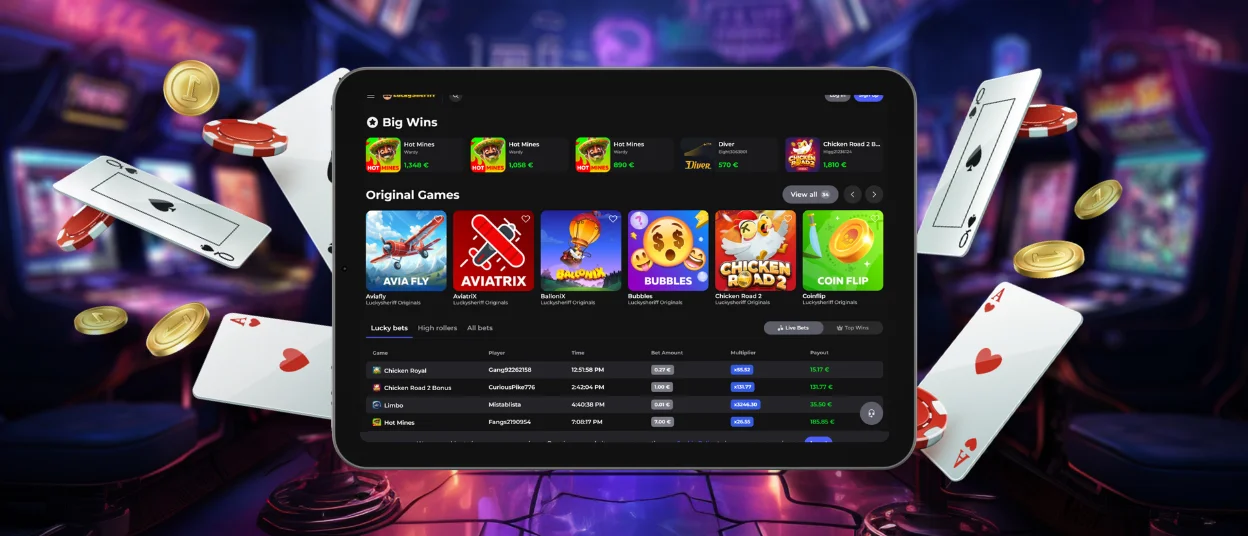
The Luckysheriff app is a great way to get a full-featured program on your computer with minimal effort. Once you install it, an icon will appear on your desktop. Thanks to it, you can launch our entire collection of over 6,000 games and other features of our platform with a single click.
The desktop version of the Luckysheriff Casino interface has also been improved: we’ve removed the address bar and other browser elements (such as tabs) so that nothing gets in the way of your gaming experience. Also, it doesn’t matter whether your computer runs on Windows, Mac or Linux – our application will perform just as well on any of them.
How the App Works Offline
One of the features of the Luckysheriff app is that it can work partially offline. This is very useful when you are on the go and have an unstable internet connection.
| Available From Cache | Not Available Offline |
| Home page | Live Casino |
| Game page (interface, if already opened) | Player balance and payouts |
| Promo pages and offers | Authentication (Log in / Sign up via server) |
| VIP Club | Live chat with our support team |
| Informational pages (About Us, FAQ) | Tournaments |
| Rules and policies (Terms, Privacy, AML) | Player rankings |
| List of game providers | Any transactions and bets |
This ability to function with a weak internet connection is possible thanks to caching and service workers. So, after you open the Luckysheriff app for the first time, it only downloads updates instead of the full content again.
FAQ
Are all games available to me if I play on my smartphone?
Yes, the mobile version of the Lucky Sheriff app offers the full collection of online slots, table games and many other titles. In addition, our application supports Live Casino, so you can easily access live streams.
Can I sign up or verify my account directly in the app?
You can create a profile in the application in exactly the same way as on the Luckysheriff Casino website. The only difference is that you need to install it on your device first. Our app also features a support button that lets you open live chat and submit the necessary documents for the verification process.
Will the Luckysheriff app be deleted if I accidentally remove the shortcut?
No, the app will remain on your device – only the shortcut icon will disappear. To restore it, simply tap the Install button again and select the “Add to Home Screen” option.


